Traceflat / Floor plan to DXF
GUIDE · DXF FOR CAD
Get a DXF of your floor plan for AutoCAD.
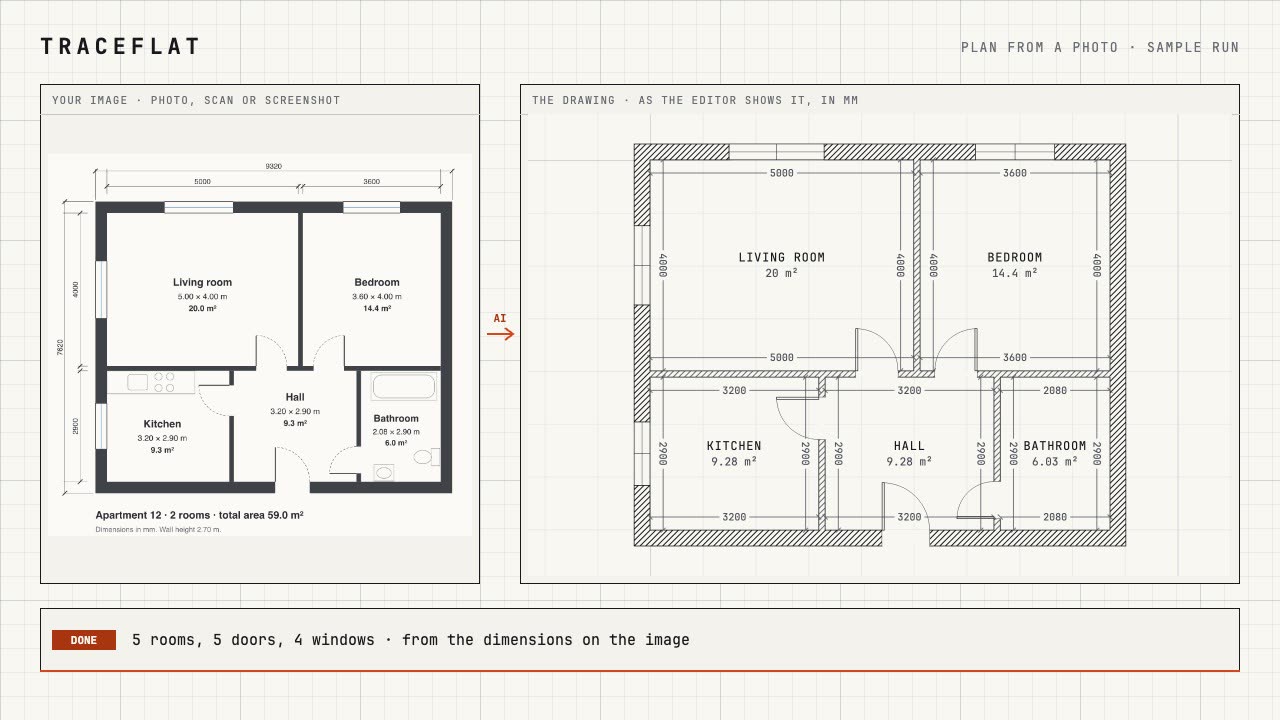
Upload a photo or scan of a plan and let the AI draw it, or draw it yourself. Check it, then export a DXF: a drawing to keep working on in AutoCAD, BricsCAD, LibreCAD or QCAD, with layers, blocks and real dimensions, not a traced picture.
The editor and the sample run are free, no sign-up. New accounts get 5 free credits for 1 month. After that, AI runs on one-time credit packs, no subscription.
What is in the DXF
- Millimetres, in the DXF version every CAD program and online viewer opens (R12).
- WALLS: the wall outlines as closed polylines, with the gaps of the doors and windows; WALLS_FILL: their solid fill.
- OPENINGS: doors and windows as blocks; doors with their leaf and a true swing arc, double and glass doors included.
- DIMENSIONS: real dimension entities: the inner size of every room, the outer walls, the overall sizes.
- TEXT: room names and areas, in any language (Cyrillic and CJK names survive).
- FURNITURE: the pieces you placed, as blocks; ZONES: balcony and loggia outlines.
And a PDF
The same plan as a printable sheet: A4 or A3, a scale from 1:20 to 1:200, with a title block. PNG images and the project file (to open it again in Traceflat) are free.
How it works
-
01
Get the plan
From a photo or scan with the AI (see floor plan from a photo), or drawn by hand.
-
02
Check and fix
Compare it with the original; fix what the AI could not read, by hand with exact dimensions or in words.
-
03
Export DXF
Export → DXF. Open it in your CAD program and go on drawing.
What it costs
PDF and DXF export come with a pack: they work while you have an active purchased pack. A plan from a photo costs 10 credits, a typed change 1 credit. New accounts get 5 free credits for 1 month. One-time packs, no subscription: see pricing. Drawing by hand is free.
Questions
Which CAD programs open the DXF?
AutoCAD, BricsCAD, LibreCAD, QCAD and online DXF viewers. It is written in the DXF version every program reads (R12), in millimetres.
Are the dimensions real dimensions?
Yes: DIMENSION entities with their own dimension style, so a CAD program can edit and regenerate them, not lines and text.
Can I export DXF without a pack?
No. PDF and DXF export work while you have an active purchased pack. PNG images and the project file are free.
Is a DXF made from a photo exact?
As exact as the numbers on the plan: the AI takes the written dimensions and names the sizes it had to work out. Check those places before you export.